June 24, 20268 min read
The Best Way to Share Wedding Photos With Guests (No App Needed)
No app, no passwords, no chasing people. The best way to share wedding photos with guests is a QR code they scan, upload, and you keep forever.

After the wedding, you want to share your photos with guests, and you want to see theirs. But most couples hit the same wall: guests take great candid shots, then those photos vanish into individual camera rolls, text threads, and abandoned WhatsApp groups. The couple ends up with a polished gallery from the photographer and a dozen blurry screenshots from Aunt Carol.
The best way to share wedding photos with guests solves both sides of the problem at once: guests can upload their own shots effortlessly, and you get a permanent, organised gallery you control. The catch is that most solutions make guests jump through hoops, like downloading an app, creating an account, or remembering a password, and that kills participation before it starts.
The No-App Requirement Is Non-Negotiable
Every wedding planner will tell you the same thing: the moment you ask a guest to download an app, you lose a third of them. Not because they are difficult people, but because a wedding reception is not the time to navigate an app store, sign up, and figure out a new interface. The average guest has had two glasses of champagne, is wearing shoes that hurt, and is trying to catch up with relatives they have not seen in years. They will not install your app.
The solution is a tool that works entirely in the browser. No installation, no sign-up, no barrier. Every modern phone, iPhone and Android alike, can scan a QR code with its native camera app and open a web page. That page should let guests upload photos in under ten seconds and be done. Anything slower than that loses photos.
What to Look for in a Wedding Photo Sharing Service
Not all no-app solutions are the same. Here is what separates a service that actually gets used from one that ends up in the digital graveyard of good intentions:
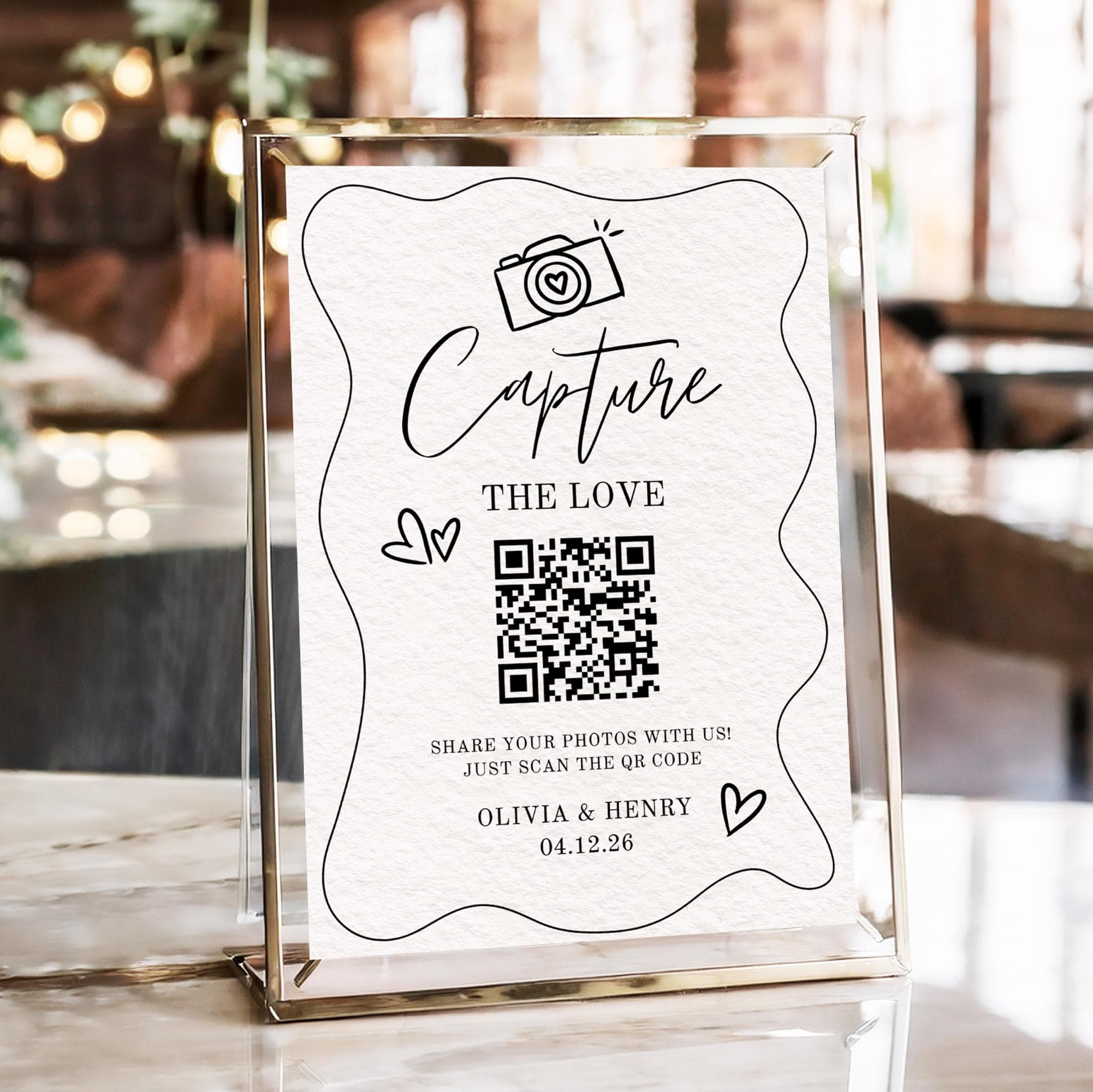
- QR code upload. Guests scan a code and upload directly from their camera roll. Nothing to download or install.
- Full resolution. The service should preserve original photo and video quality, not compress them to save server space.
- One shared gallery. Every guest upload lands in the same album. No separate folders, no manual curation needed.
- Live slideshow option. Photos appear on a screen at the reception in real time. This is the feature that drives participation, because when guests see their photo on the big screen, they take more pictures and tell others.
- Permanent access. The gallery should not expire after 30 days. Couples want to revisit wedding photos years later.
- No limits on contributors. Some services charge per guest who uploads, which gets expensive fast with 100 or more guests.
If you want to make sure not a single photo slips through, our guide on how to collect every photo your wedding guests take walks through the full collection strategy.
QR Codes Are the Best Delivery Mechanism
QR codes are not new, but they have become the default mechanism for contactless interaction. Phone cameras have native QR readers built in, so there is no app required. For weddings, a printed QR code on a table sign, an order of service card, or even a place card creates the shortest possible path from moment to upload.
To get a complete picture of how QR codes work for weddings, read our complete guide to QR code wedding photos. It covers placement strategy, sign design, and timing to maximise uploads.
Why a Hosted Service Beats a Shared Album
A common fallback is a Google Photos or iCloud shared album. These are free and familiar, but they have real drawbacks for weddings:
| Feature | Shared album | Dedicated service |
|---|---|---|
| No app for guests | Yes | Yes |
| Full-resolution uploads | Compresses videos | Keeps originals |
| Live slideshow | No | Yes |
| Guest contributes from camera roll | Yes | Yes |
| Permanent gallery (no expiry) | Can disappear if owner leaves ecosystem | Yes |
| Works with any phone brand | Yes | Yes |
| No account needed for guests | Yes | Yes |
Shared albums are fine for a small dinner party. For a wedding with 100 or more guests across multiple age groups and phone types, a dedicated service removes every friction point.
How to Maximise Guest Uploads on the Day
Having the right tool is only half the battle. Getting guests to actually use it takes some planning. The couples who get the highest upload rates follow a simple playbook:
- Put the QR code everywhere guests naturally pause. The bar, the guest book table, the seating chart, the restroom hallway. Avoid placing it only on the dinner table where plates and glasses cover it.
- Show live uploads on a screen. This is the single highest-leverage tactic. When guests see a photo appear on a big screen within seconds of uploading, they tell their friends and the behaviour spreads.
- Have the MC or celebrant mention it once. A single announcement during dinner encourages participation without feeling forced. Say "Scan the code on your table to add your photos to the shared gallery."
- Add a short line to the order of service. A one-liner in the programme reaches guests who skip the table signs.
- Write clear, friendly sign copy. Avoid technical language. "Scan this to share your photos" works better than "QR code for digital image submission."
When to Set It Up
The best time to set up your photo sharing is two to three weeks before the wedding, not the night before. Setting it up early gives you time to:
- Order printed table signs and place cards with the QR code, which take a few days to arrive.
- Test the upload flow on your own phone and a relative's, so you know it works on both iPhone and Android.
- Add the link to your order of service or wedding website while those are still being finalised.
- Brief your MC or a trusted bridesmaid so someone other than you owns the live slideshow on the day.
Couples who leave it to the last minute usually skip the printed signs, which are the single biggest driver of uploads. A little lead time turns a good idea into photos you will actually receive.
Common Mistakes That Cost You Photos
Even couples who pick a good tool can lose photos to a few avoidable mistakes:
- Relying on one sign at the entrance. Guests see it once, then forget by the time they have something worth sharing. Repeat the QR code across the venue.
- Hiding the upload behind a login. If your tool asks guests to verify an email or create a password, you have reintroduced the exact friction you were trying to remove.
- Forgetting older guests. Not everyone is comfortable with QR codes. A short, plain-language sign and one friendly announcement bring them along.
- Leaving the slideshow off. The live screen is what turns uploading from a chore into a moment. Skipping it quietly halves participation.
- Choosing a tool that expires. A gallery that vanishes after 30 days means the photos you worked to collect are gone right when you finally have time to enjoy them.
Avoid those five and you will collect more photos than you thought your guests even took.
What Happens After the Wedding Matters Too
The work does not end when the reception finishes. The best photo sharing services keep your gallery live permanently, organised chronologically or by upload time. You can sort through, download favourites, and share a link with family members who could not attend.
Many couples also use their guest photo gallery to:
- Create a thank-you video using guest-captured footage.
- Print a photo book that mixes professional and candid shots for a more authentic album.
- Send a follow-up link to guests so they can download the professional photos alongside their own.
- Save every shot to an external hard drive as a permanent backup.
The difference shows up a year later. The couples who used a frictionless, permanent gallery still have every candid moment a click away. The couples who relied on guests texting photos have a handful of compressed images and a lot of "I keep meaning to send those." The tool you choose on the day decides which of those two futures you get.
The TL;DR for Busy Couples
If you only take away three things from this guide, let them be these:
- Do not use a tool that requires guests to download anything. Browser-only, or you lose half your photos.
- Put your QR code in multiple visible spots and show uploads on a live screen during the reception.
- Pick a service that keeps your gallery forever, in original quality, without charging per guest.
Want to see how it works? SeeEveryMoment lets you set up a wedding gallery in under two minutes. Guests scan a printed code and upload directly, with no app and no barrier. Your gallery stays live forever, and you can add a live slideshow during the reception for free.
Frequently asked questions
What is the best way to share wedding photos with guests?
A QR code that opens a browser-based upload page. Guests scan, tap, and upload in under ten seconds, with no app or account needed.
Should I use a Google Photos shared album for my wedding?
It works in a pinch but has drawbacks: it compresses video and requires the owner to stay in the Google ecosystem for permanent access. A dedicated wedding photo service keeps originals and never expires.
How do I get guests to actually upload their photos?
Place QR codes where guests naturally pause, show uploads on a live screen during the reception, and have the MC mention it once. These three tactics alone can double upload rates.
Can guests upload videos too?
Yes, with most browser-based services. Check that the service you choose supports video upload at full resolution rather than compressed clips.
What if some guests aren't tech-savvy?
Browser-based uploads work on any smartphone with a camera, regardless of the user's comfort level. The guest just opens their camera, points at the QR code, and taps the link that appears.
Share your wedding photos the easy way
Set up a gallery in under two minutes. Guests scan, upload, and you keep every original forever.