June 24, 202611 min read
How to Collect Every Photo Your Wedding Guests Take (2026 Guide)
A practical guide to collecting every wedding guest photo in full resolution. QR codes, signs, and timing strategies that actually get guests to share.
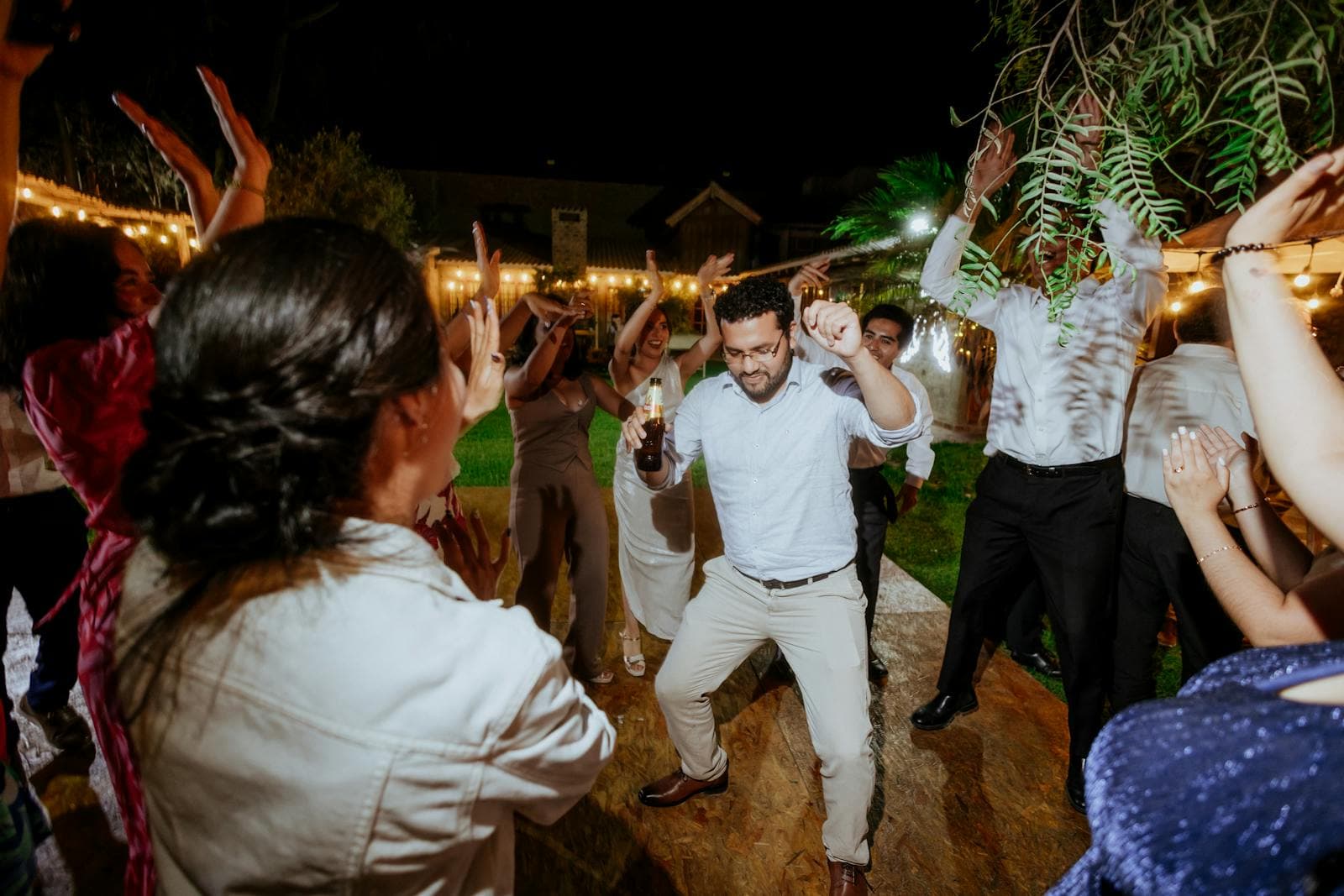
Your photographer will capture the first kiss, the cake cutting, and the family portraits. They will not capture the flower girl trying to steal a macaron. They will not capture your uncle tearing up during the speech from the back row. They will not capture the dance-floor chaos at 11 pm when someone starts a conga line.
Those moments live on your guests' phones. And after the wedding, those photos scatter across a hundred camera rolls, never to be seen by anyone but the person who took them. The problem is not that guests take bad photos. It is that couples never get to see them.
This guide covers exactly how to collect wedding guest photos in full resolution, with zero effort from you on the day and no chasing people afterwards. You will learn which method works best, what to put on your signs, when to ask, and how to turn a trickle of uploads into a flood.
Why most guest photos disappear
The average wedding has between 80 and 150 guests. If half of them take photos on their phones, that is 40 to 75 individual camera rolls holding somewhere between 500 and 2,000 candid photos. Without a system, here is what happens to them:
- Guests post a few to Instagram Stories, which vanish in 24 hours.
- A handful text or AirDrop a few shots directly to you. You save them to your camera roll but never sort or organise them.
- Someone creates a group chat and photos get lost in the message noise within a day.
- The rest sit on guests' phones. A few get backed up to iCloud or Google Photos, most do not. Over the next year, as people upgrade phones, the photos that were never exported disappear for good.
It is not that guests are unwilling to share. It is that nothing makes it easy for them to do it. The gap between 'I will send those to the couple' and actually sending them is where most wedding guest photos die.
Collecting vs receiving: the shift you need to make
Most couples approach this backwards. They wait for photos to come to them, hoping guests will text, email, or post under a hashtag. That passive approach fails for a simple reason: on the day of a wedding, no guest is thinking about how to get photos to the couple. They are socialising, eating, dancing, and having a good time.
The fix is to flip your thinking. Instead of waiting to receive photos later, put the method in front of guests during the event so the message is simply: here is exactly how to give us your photos right now. Your job is to remove every step between a guest deciding to share and the photo landing in your gallery. Any friction, whether a login screen, an app download, or a form to fill in, and the guest moves on and never comes back.
Get that right and your participation shifts from a handful of people to most of the room. That single change is the difference between a gallery with 50 photos and one with 500.
The four ways to collect wedding guest photos, compared
Every couple has options, and each comes with real trade-offs. Here is the honest comparison so you can decide what fits your wedding best:
| Method | Guest effort | You get full resolution? | Realistic participation | Cost |
|---|---|---|---|---|
| QR code upload (SeeEveryMoment) | Scan and upload, 10 seconds | Yes | High (60-80% of guests) | Low (one flat fee) |
| Wedding hashtag | Post to social media | No (compressed) | Low to medium | Free |
| Shared album (Google Photos / iCloud) | Join album, upload | Yes | Low (requires Google/Apple account) | Free |
| Disposable cameras | Find and shoot, no preview | Yes (after developing) | Low (cameras go unused) | High (cameras + developing) |
| Text or email | Manual, requires your contact | Sometimes | Very low | Free |
The QR code method wins on the two metrics that matter most: guest effort (almost zero) and participation (much higher than anything else). A well-placed QR code on every dinner table turns every guest into a photographer. For a step-by-step walkthrough of the QR code approach, see our QR code wedding photos guide.
Step-by-step: how to set up guest photo collection
The full setup takes under ten minutes. Here is the process broken into actionable steps:
1. Choose your collection method
Based on the comparison above, we recommend a QR-code-based service. It consistently delivers the highest participation because it removes all friction. With SeeEveryMoment, your event setup includes a unique QR code, a private upload page, and a live slideshow option. You do not need to manage any infrastructure, upload limits, or guest accounts.
2. Create the event and download your QR code
Creating your event takes about two minutes. You name the event, set the date, and your unique QR code and upload link are ready instantly. Download the code as a high-resolution image so it prints cleanly at any size. See exactly how it works.
3. Print signage and place it strategically
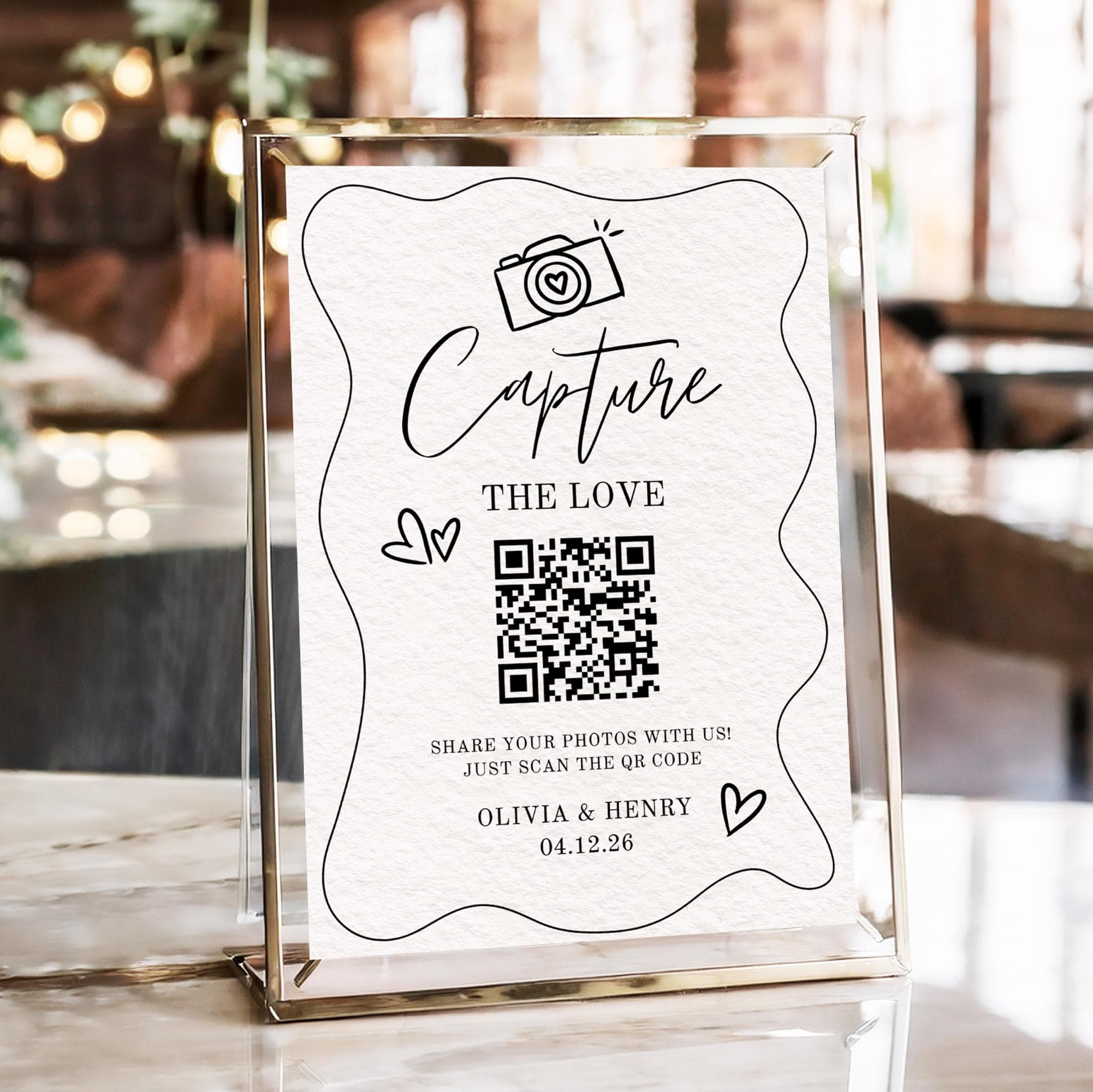
One sign by the entrance is not enough. The key is repetition across places where guests are sitting with their phones in hand. Print the code on:
- Place cards. Each guest has one at their seat. It is the single most effective placement.
- Table tents. A small folded card in the centre of every dinner table. Every seated guest can see it.
- The bar. People have their phones out at the bar. A small sign there captures photos before and during the reception.
- The welcome sign. A larger sign at the entrance tells people about photo sharing before they even sit down.
4. Write clear, warm wording
A QR code with no explanation gets ignored. Add one short sentence that tells guests why to scan and what happens next. Examples that work:
- We cannot be everywhere at once. Scan to add your photos to our wedding gallery.
- The photographer cannot catch every smile. Share yours with us by scanning this code.
- Caught a great moment? Tap the code and send it to us. Your photos will appear on the slideshow!
For more wording ideas, see the example signs in our complete QR code wedding photos guide.
5. Announce it once, out loud
The single most effective participation booster costs nothing: ask the MC, celebrant, or best man to mention the QR code during the reception. One sentence is enough. 'If you have taken any great photos tonight, scan the code on your table and add them to the couple's shared gallery.' When people hear it announced, they look for the code. When they only see it on a sign, many miss it entirely.
6. Show photos live during the reception
When guests see their own photos appear on a screen moments after uploading, they upload more. It turns photo sharing from a favour into a game. The live slideshow feature in SeeEveryMoment displays new uploads with a short delay so you have time to review anything unflattering before it hits the screen. It also encourages the people who have not uploaded yet to pull out their phones and join in.
When to set everything up
Timing matters more than you might expect. Here is the ideal timeline:
| When | What to do |
|---|---|
| 2-3 weeks before | Create your event, generate your QR code, and finalise sign wording. |
| 1 week before | Print all signage. Print a few extras in case of last-minute table changes. |
| Day before | Pack the signs with your wedding decor so they are not forgotten at home. |
| Morning of | Assign one person (a bridesmaid, groomsman, or parent) to place signs on tables and at the bar. |
| During reception | Have your MC or DJ announce the QR code once after dinner. |
| Next day | Check your gallery, download everything, and send a thank-you message to guests who uploaded. |
Notice that the actual setup (step one, creating the event) takes minutes. The time goes into planning signage and making sure it gets placed correctly on the day.
What to do with the photos after the wedding
Collecting the photos is only half the job. The real value comes from what you do with them afterwards. Here is a simple post-wedding workflow:
- Download everything immediately. Most services let you download all photos as a zip file. Do this within a week of the wedding while everything is fresh.
- Back them up in two places. Your hard drive and a cloud service. The originals on your phone, plus the guest photos in a separate folder.
- Sort and curate. You do not need every photo. Pick the best 100-200 and put them in an album you will actually look at. Keep the originals archived for completeness.
- Share a gallery back with guests. The photos exist because guests took them. Send everyone a link to the full gallery as a thank-you. They will love seeing moments from other people's phones.
- Print a photo book. The best photos from your photographer plus the best guest shots make a wedding album that tells the full story of the day.
The ability to download everything in one go is one reason to choose a dedicated service over a shared Google Photos album. With a shared album, you are at the mercy of the platform's export tools, and guests who do not use Google lose access. See our guide on the best way to share wedding photos with guests for more on keeping and sharing your gallery.
How to handle guests who forget to upload on the day
No matter how good your signage is, some guests will not upload during the wedding. They get busy. They forget. Their phone battery dies. This is normal and expected. A good photo-collection system gives those guests a second chance.
After the wedding, send a brief message to your guests with the same upload link. Something like:
A single follow-up typically brings in another 10-20% of total photos, especially from guests who were too busy during the reception to think about uploading. The link stays active as long as you want it to, so there is no deadline pressure. You can keep it open for weeks or months.
How many photos you can realistically expect
Setting realistic expectations helps you plan. Based on data from real weddings using QR-code photo collection, here is what the numbers look like:
| Guest count | Estimated uploads (with QR code) | Estimated uploads (no system / hashtag only) |
|---|---|---|
| 50 guests | 150-300 photos | 15-30 photos |
| 100 guests | 300-600 photos | 25-60 photos |
| 150 guests | 500-1,000 photos | 40-100 photos |
| 200+ guests | 800-1,500+ photos | 50-120 photos |
The difference is stark because the QR code method lowers the effort barrier. When guests can upload from their seat in ten seconds, they do. When they have to find a hashtag, post publicly, and hope the couple finds it, most do not bother.
Common mistakes that kill participation
Even with the right tool, a few mistakes can quietly tank your upload numbers. Avoid these:
- One sign in one place. A single sign by the entrance is invisible once guests are seated. Every table needs its own code.
- No verbal announcement. Signs alone are not enough. People scan more when they have heard someone say "scan this code" out loud.
- Asking guests to install an app. This is the number one participation killer. Even a simple app install cuts uploads by 50-70%.
- Printing the code too small. A QR code smaller than 3cm is easy to miss and harder for older phones to read.
- Using a generic QR code generator. Many free generators create codes that expire or have upload limits. Use a dedicated wedding photo service so the code works reliably.
If you avoid these five mistakes, you are already ahead of most couples who try to collect guest photos. The difference between a gallery with 50 photos and a gallery with 500 photos is usually not the tool. It is the setup and the signage.
Frequently asked questions
What is the easiest way to collect wedding photos from guests?
A QR code that opens a browser-based upload page is the easiest method. Guests scan with their phone camera, select photos, and upload in about ten seconds. No app downloads, no accounts, no social media posts. See how it works.
Do guests need an app to share their wedding photos?
Not with a browser-based upload service. Guests scan the QR code with their phone camera and upload straight from their browser. This is the key difference between services that get high participation and services that do not.
How do I get guests to actually upload their photos?
Three things work: place the QR code on every table, have the MC announce it once during the reception, and show photos on a live slideshow so guests see their uploads appear in real time. See the full strategy in this guide.
Can I collect photos from guests after the wedding day?
Yes. The upload link stays active, so you can send it in a follow-up message to guests who were too busy on the day. A single reminder typically brings in another 10-20% of total photos.
Will I get the original photo quality or compressed versions?
With a dedicated service like SeeEveryMoment, you receive the original full-resolution files that guests upload. This is different from social media hashtags, which only give you compressed copies.
How many photos can I expect from my guests?
With a QR code photo collection service at a 100-guest wedding, expect 300-600 photos. Without a system, most couples receive fewer than 50 guest photos. The difference is the effort barrier for guests.
Collect every candid moment from your wedding
Create your event in minutes, print your QR codes, and watch the guest photos roll in. No app, no accounts, no hassle.