June 23, 20265 min read
QR Code Wedding Photos: The Complete Guide for Couples
How QR code wedding photos work, how to set them up in minutes, and how to collect every candid shot your guests take. A practical 2026 guide for couples.
Your photographer captures the posed, planned, once-in-a-lifetime shots. But the best moments of a wedding are often the ones nobody is paid to catch: the belly laugh during the speeches, the flower girl asleep under a table, the dance floor at midnight. Your guests catch all of those on their phones, and then those photos vanish into a hundred camera rolls you will never see.
QR code wedding photos solve that problem. Guests scan a small printed code, their phone opens an upload page, and every picture they took lands in one shared gallery you keep forever. No app to download, no account to create, no chasing people for photos after the honeymoon. This guide explains exactly how it works, how to set it up, and how to get guests to actually use it.
How a QR code for wedding photos works
A QR code is just a link in a form a phone camera can read. For weddings, that link points to a private upload page tied only to your event. The flow is deliberately short so that a guest who has had a few glasses of champagne can still finish it:
- A guest opens their phone camera and points it at the code on a table sign, place card, or the order of service.
- A link appears. They tap it, and your event's upload page opens straight in the browser.
- They select photos and videos from their camera roll and tap upload.
- Their shots appear in your shared gallery, and (if you turn it on) on the live slideshow during the reception.
The whole thing takes about ten seconds and works on any modern iPhone or Android. Because it runs in the browser, there is nothing to install. If you want the full picture of the guest experience, see how it works.

Why couples choose a QR code over the alternatives
There are several ways to collect guest photos, and each has trade-offs. Here is an honest comparison of the common options:
| Method | Guest effort | You get the originals? | Cost |
|---|---|---|---|
| QR code photo app | Scan and upload, no account | Yes, full resolution | Low, one flat fee |
| Wedding hashtag | Post publicly, hope they tag | No, compressed social copies | Free, but unreliable |
| Disposable cameras | Find a camera, no retakes | Yes, after developing | High per camera plus developing |
| Texting and email | Manual, easy to forget | Sometimes, often compressed | Free, but you chase people |
A QR code wins on the two things that matter most: guests barely have to think, and you receive the original full-resolution files rather than compressed copies. For more on choosing the right setup, read our guide on the best way to share wedding photos with guests, and see exactly what is included on our pricing page.
How to set up your wedding photo QR code
Setup is genuinely a five-minute job. With SeeEveryMoment the steps are:
- Create your event with its name and date. Your unique QR code and upload link are generated instantly.
- Download the QR code as a high-resolution image so it stays crisp when printed large.
- Add it to your signage: table cards, a welcome sign, the order of service, or the back of place cards.
- Decide whether uploads appear on a live slideshow, and set a short delay so anything unflattering can be hidden first.
- Test it yourself by scanning and uploading one photo before the big day.
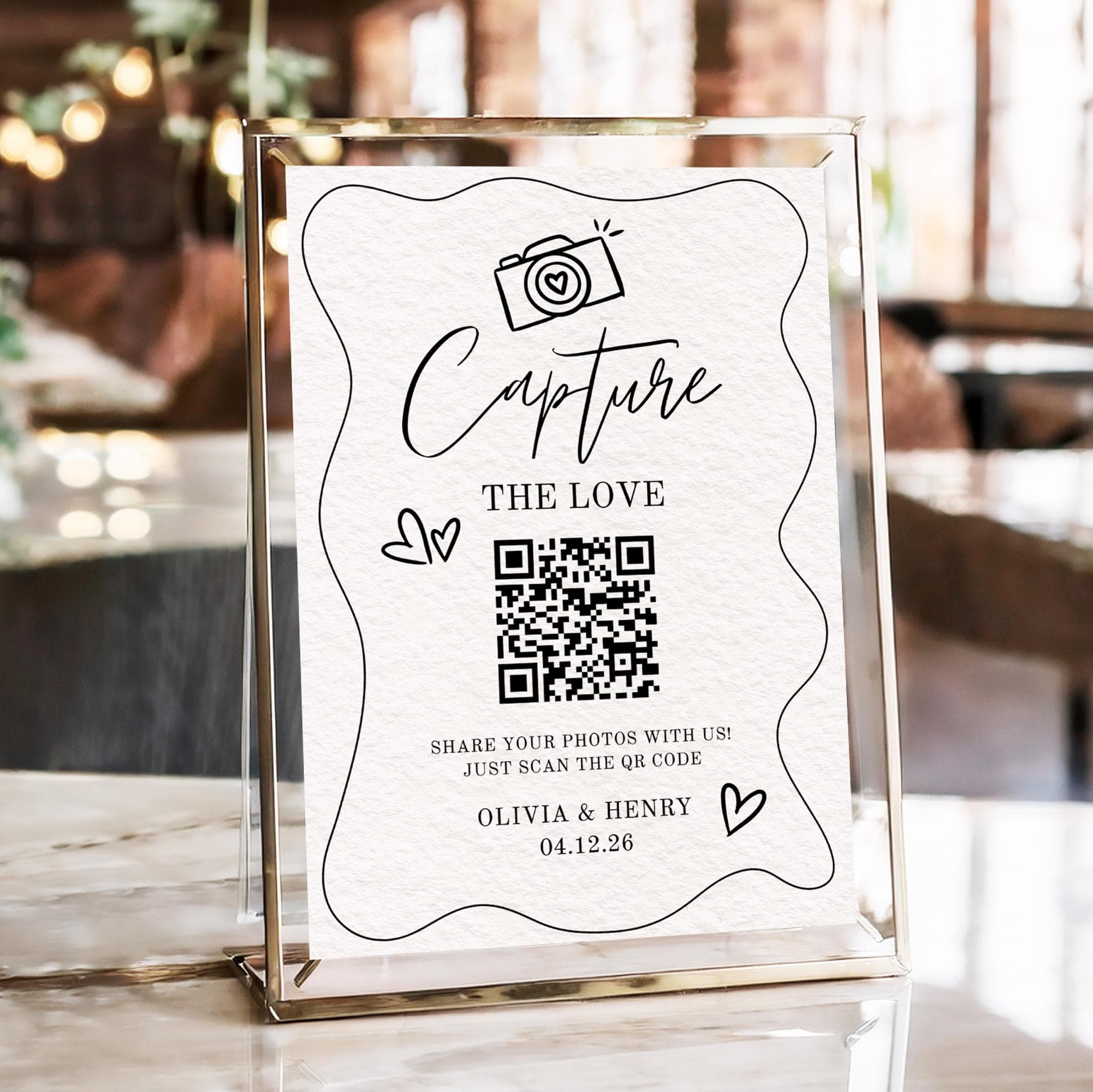
What to write on your QR code sign
Guests will not scan a bare code. They need a one-line reason and a clear instruction. Keep the wording warm and specific. A few examples that work well:
- "Help us see every moment. Scan to share your photos from today."
- "We can't be everywhere at once. Scan the code and send us the moments you caught."
- "Caught a great photo? Scan here to add it to our wedding gallery."
Put the sign where people are already sitting with their phones out: dinner tables, the bar, and near the dance floor. Repetition helps, so use more than one sign rather than a single poster by the entrance.
Getting guests to actually upload
The technology is the easy part. Participation is where most photo-collection ideas quietly fail. Three things reliably lift the number of uploads you get:
- Announce it once, out loud. Ask your MC or celebrant to mention the QR code early in the reception. One sentence is enough.
- Show the results live. When guests see their own photos appear on a slideshow, they upload more. It turns collecting into a shared game.
- Make it effortless. Anything that asks guests to install an app or sign up loses most of them. The no-account browser flow exists for exactly this reason.
Want the candid coverage a single photographer cannot give you? That is the whole point of crowd-sourcing photos. See our features for how the live gallery and slideshow fit together.
Keeping your photos after the wedding
Collecting photos is only useful if you can keep them. A good wedding photo tool gives you the full-resolution originals and a simple way to download everything at once, rather than locking your memories behind an app that might disappear in a year. Before you choose any service, check two things: that you can export every original file, and that the gallery does not expire while you still want it. With those covered, your guests' photos become a permanent part of your wedding story rather than a temporary feed.
Frequently asked questions
Do guests need to download an app to use a wedding photo QR code?
No. A good QR code photo tool opens an upload page directly in the phone's browser. Guests scan, select photos, and upload with no app and no account, which is the main reason participation is so much higher than with apps.
Will I get the original full-resolution photos?
With a dedicated service like SeeEveryMoment, yes. You receive the original files guests upload, not the compressed copies you would get from social media or a hashtag. You can then keep and share every original with your guests.
How early should I set up the QR code?
Set it up at least a week before the wedding so you have time to print signage and test it. Creating the event and generating the code itself only takes a few minutes.
What if a guest uploads an unflattering photo to the slideshow?
Set a short display delay on the slideshow so you or a helper can review photos before they appear on screen. Photos still go into your gallery either way, so nothing is lost.
Does the QR code work for other events too?
Yes. The same approach works for engagement parties, birthdays, and corporate events. The wedding context just tends to have the most candid moments worth collecting.
Collect every photo your guests take
Create your event in minutes, print your QR code, and watch the candid moments roll in.