September 9, 20266 min read
Do Wedding Guests Need an App to Share Photos?
Do wedding guests need an app to share photos? No, and asking them to download one is the fastest way to lose half the photos from your day.
No. Wedding guests do not need an app to share photos, and in 2026 you should be suspicious of any tool that says otherwise. Every photo your guests take is already sitting on a phone that has a web browser, a camera, and a QR scanner built into it. That is genuinely all the technology required. The only reason a download ever enters the picture is that some products chose to build an app, and now they need you to persuade 120 people to install it.
This matters more than it sounds. The question is not really "can guests use an app", because of course they can. The question is how many of them actually will, standing in a marquee, holding a drink, three songs into the dancing. That number is the one that decides how many photos you end up with, and it is the number nobody selling an app wants to talk about.
What Actually Happens When You Ask Guests to Download an App
Picture the moment your sign gets read. It is usually somewhere between the ceremony and the main course. A guest sees the sign, gets the idea, and wants to help. Now count the steps you have just asked them to complete.
- Open the App Store or Play Store.
- Search for the right app, and find it among similarly named results.
- Wait for a 40 to 80 MB download, on venue wifi shared with everyone else, or on a rural cell signal.
- Sign in with an email address or a social account, or create yet another password.
- Find and enter your event code, or accept an invite.
- Grant camera and photo library permissions.
- Finally, choose photos and upload.
Seven steps, and at least four of them are places a well-meaning guest quietly gives up. Your uncle hits the sign-in screen and decides he will do it later. Your friend's storage is full, so the download fails. Someone taps the wrong app entirely. And crucially, nobody at a wedding is in a mood to troubleshoot. They are there to celebrate, not to complete an onboarding flow.
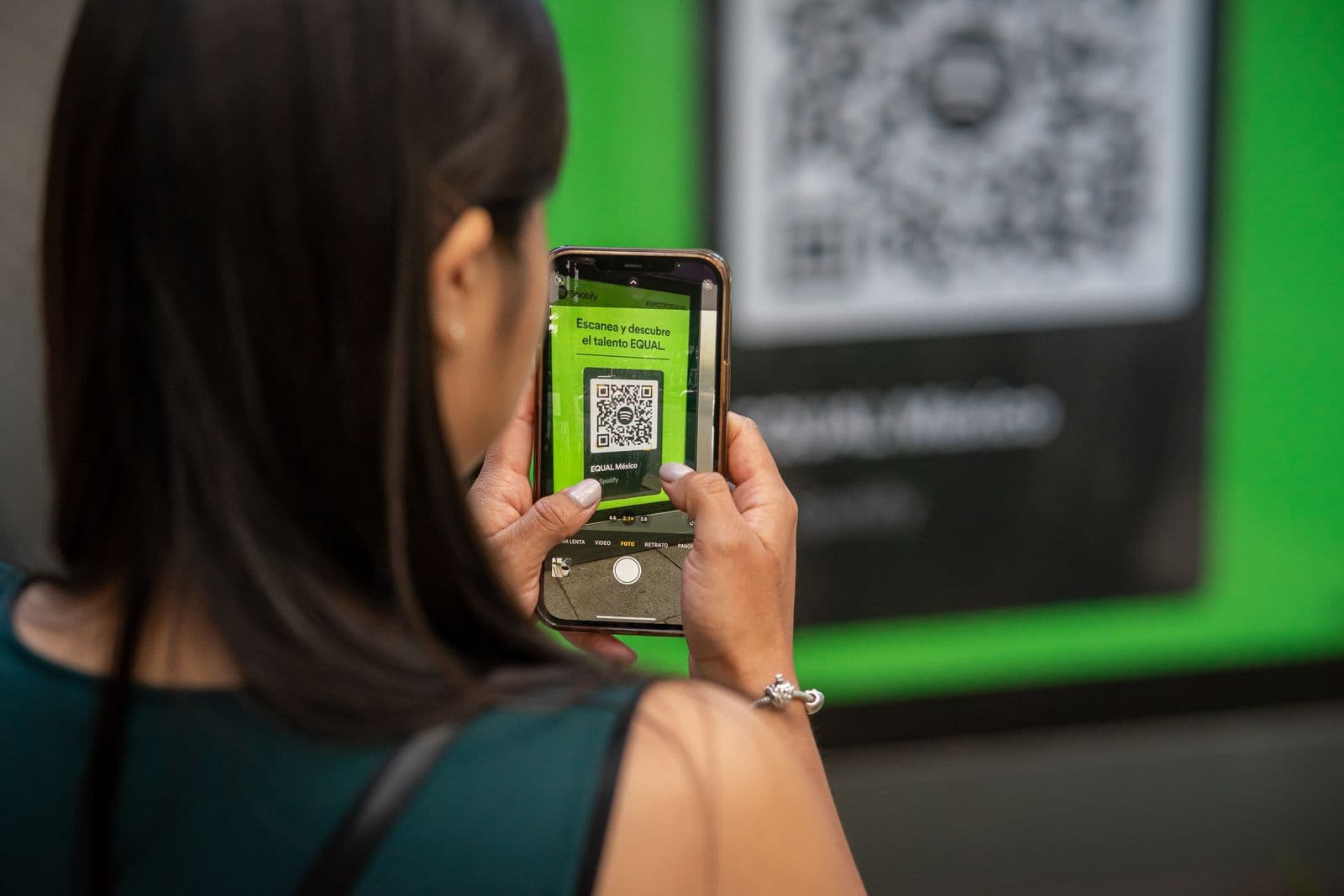
Now compare that to the browser route: point the camera at a QR code, tap the link that appears, select photos, upload. Two steps, no account, no download, no password. It works on a five-year-old Android and on a brand new iPhone identically, because it is just a web page.
Who Requires an App and Who Does Not
The market splits fairly cleanly. Some products are app-first because they want a permanent icon on your guests' phones. Others are browser-first because they want the photos. Here is the shape of it, though you should always check current details yourself, since products change.
| Approach | What guests do | The trade-off |
|---|---|---|
| Browser upload via QR code | Scan, tap, upload. No install, no account. | Highest participation. Needs a connection at some point to send. |
| App download required | Install, register, join the event, then upload. | Filters out a large share of guests, especially older ones. |
| Group chat (WhatsApp, iMessage) | Already installed, so easy to start. | Photos get compressed, and nothing is organised. See our note on WhatsApp photo quality. |
| Shared cloud album | May need the right account or an invite accepted. | Works well for tech-comfortable guests, awkward for the rest. |
SeeEveryMoment sits in the first row, and we built it that way deliberately. We would rather be a web page your guests forget about the next day and have all their photos, than an app they keep and never open.
The Guests You Lose Are the Ones You Most Want to Hear From
This is the part that gets overlooked. App friction does not fall evenly across your guest list. It falls hardest on exactly the people whose photos you will treasure most.
- Older relatives. Your grandmother has a phone and takes photos on it. She is not going to install an app at a wedding, and asking her to feels unkind.
- Guests with full phones. A download that fails once rarely gets a second attempt.
- People at the top table. The closest people to you are the busiest all day. They will not sit down with the App Store.
- Anyone from abroad. Roaming data plus a large download is a hard no.
The photos those people have are the ones no professional could get: the view from your dad's seat during the speeches, the table your school friends shared, the moment in the corridor nobody else saw. Losing them to an install screen is a genuinely sad way to lose them. That is the whole idea behind the photos only your guests can capture.
Does the Couple Need an App Either?
No, and this is worth checking when you compare tools. You will want to do a few things after the day: look through everything, quietly hide anything you would rather not display, and download the full-resolution originals. All of that should work in a normal browser on a laptop, because scrolling 900 photos on a phone is miserable and downloading them to a phone is worse.
With SeeEveryMoment you manage your event and download everything from any browser, and the gallery does not close on a timer. If you want the mechanics, how it works walks through the whole flow, and pricing is one flat $35 per event with nothing added later.
How to Word Your Sign So Guests Actually Do It
Since there is no app, your sign has one job: make it obvious there is nothing to install. Say so explicitly, because guests have been trained to expect a download and will hesitate if you do not tell them.
- "Scan to add your photos. No app, no sign-up."
- "Help us see the day through your eyes. Scan, upload, done."
- "Point your camera here. No app needed, we promise."
Put one sign where people wait and one on the tables, and mention it once during the speeches. That combination does more for your photo count than any feature comparison. There are 25 more examples in our guide to wedding photo sharing sign wording, and free layouts in wedding QR code sign templates.
The Short Version
Guests do not need an app, and you should not make them use one. Every step between a guest's good intention and their photo landing in your gallery costs you photos, and downloads and sign-ups are the two most expensive steps there are. Pick the tool that asks the least of the people you invited, put up a clear sign that says there is nothing to install, and you will be surprised how much of your day comes back to you.
Frequently asked questions
Do wedding guests need an app to share photos?
No. With a QR code and browser upload, guests point their camera at the code, tap the link, choose photos and upload. There is nothing to install and no account to create, which is why participation is far higher than with app-based tools.
Do guests need to create an account or sign in?
They should not have to. With SeeEveryMoment guests upload without any sign-up. Only you, the host, have an account, and you use it to manage the gallery and download everything afterwards.
Does the QR code work on both iPhone and Android?
Yes. Every current iPhone and Android camera scans QR codes natively, and the page it opens is an ordinary web page, so it behaves the same on both. Older phones can type the short link instead.
What if a guest has no signal at the venue?
They can take photos all day as normal and upload later when they have signal, as long as your gallery does not expire. See how to upload wedding photos without wifi for the practical version.
Is a group chat easier than a photo sharing tool?
It is easier to start and worse to live with. Group chats compress photos, mix them with conversation, and leave you copying hundreds of images out by hand. A dedicated gallery keeps full resolution and stays organised.
Ready to Collect Every Photo?
Set up your wedding photo collection in minutes. No app, no accounts, no hassle.